
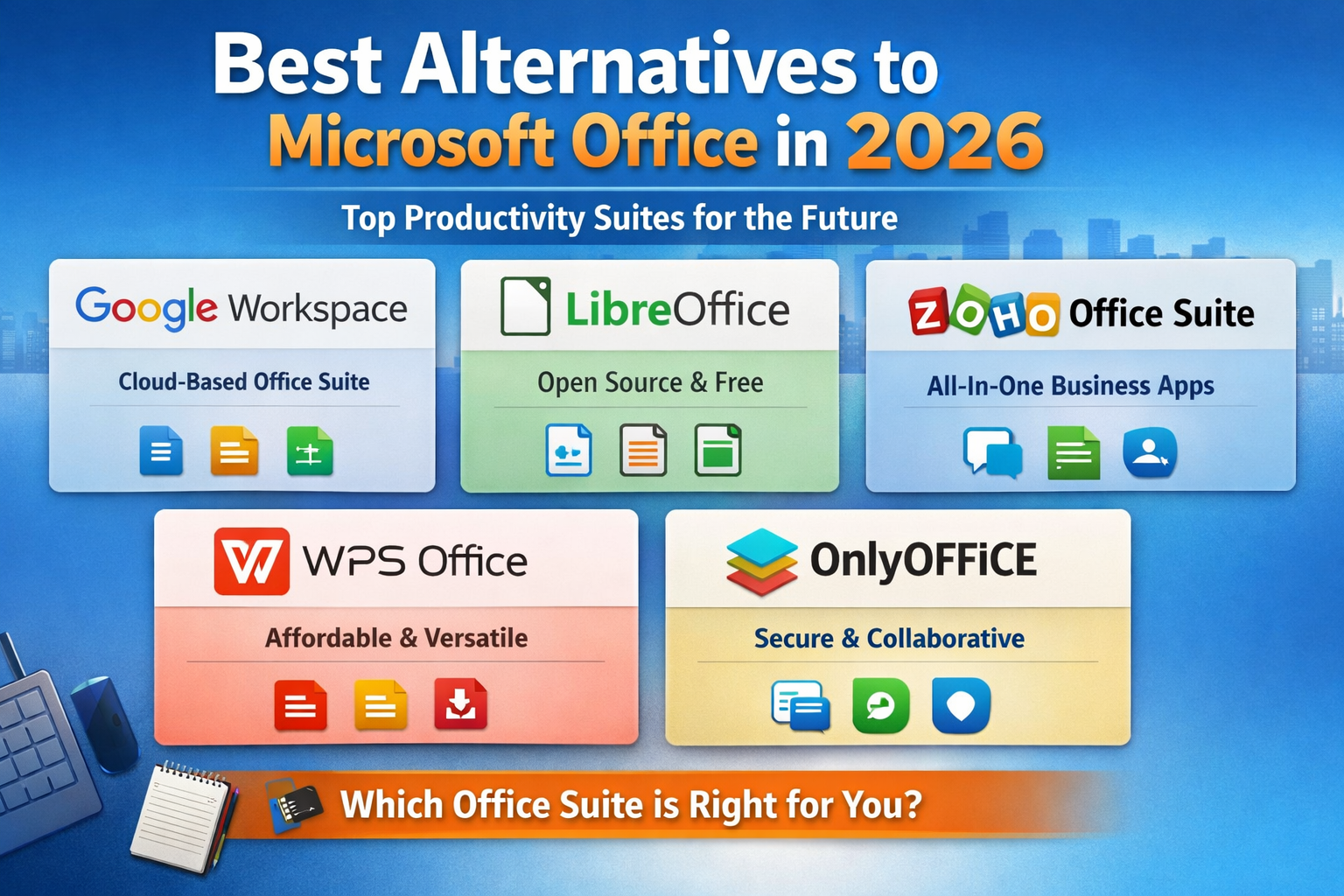
Best Alternatives to Microsoft Office in 2026
Published by TIV360 | © 2026 The Inventor’s Velocity
Microsoft Office has been the dominant office suite for decades — but in 2026, it no longer has a monopoly on productivity. Whether you’re fed up with rising subscription costs, tired of being nudged toward Copilot AI features you didn’t ask for, or simply looking for a free alternative that gets the job done, there are more solid options than ever before.
Below we cover the best Microsoft Office alternatives available today, including completely free options, one-time purchase tools, and lightweight cloud-based suites. We’ll also share a personal take from Brandon at TIV360 — someone who’s been living the “Office-free” lifestyle for years.
“I have been primarily using OpenOffice for most basic tasks instead of Office for years. Not only is OpenOffice free and does not force you to use Copilot — but it works well in most normal use cases. I had purchased a copy of Office in 2010 and the license expired after a year or two, even though Office 2010 fit my needs just fine. As a young adult, I could not afford the cost of an Office membership. To this day, it’s way too overpriced. I am all for paying developers and don’t expect to use the same software for 100 years, but software companies tend to nuke perfectly good software in hopes that you will buy the new version, or they keep increasing the price of a monthly membership. Sometimes when money is tight, it is easier to go with something basic and free or cheap. By the way, I am still using Photoshop CS5 which is over 15 years old — so it is sometimes doable to keep using old, great software.” — Brandon Schick, The Inventor’s Velocity (TIV360)
Brandon’s experience isn’t unique. Millions of users find that free and low-cost alternatives handle their day-to-day document, spreadsheet, and presentation needs just fine — without the bloat, forced AI integrations, or the perpetual subscription treadmill.
Why People Are Ditching Microsoft Office
Microsoft 365 currently runs around $70–$100+ per year for a personal subscription, and business plans cost significantly more. For freelancers, small business owners, or anyone on a tight budget, that’s a meaningful expense — especially when the core tasks (writing a document, building a spreadsheet, making a simple presentation) haven’t fundamentally changed in decades.
Beyond cost, many users are frustrated by Microsoft’s push toward always-online requirements, forced Copilot AI features embedded throughout the suite, and the ongoing deprecation of perpetual license options. If you just want to type a letter or build a budget spreadsheet without an AI reading over your shoulder, there are better options.
Top Microsoft Office Alternatives in 2026
| Software | Cost | Best For | Platform |
|---|---|---|---|
| LibreOffice | Free (open source) | Full Office replacement — Writer, Calc, Impress, Draw, Base | Windows, Mac, Linux |
| Apache OpenOffice | Free (open source) | Lightweight everyday use — documents, spreadsheets, presentations | Windows, Mac, Linux |
| Google Workspace (Free Tier) | Free with Google account | Cloud-based collaboration — Docs, Sheets, Slides | Browser (any OS) |
| OnlyOffice | Free (community) / Paid plans | High .docx/.xlsx/.pptx compatibility, self-hosted option | Windows, Mac, Linux, Browser |
| WPS Office | Free (ads) / ~$30/yr premium | Closest look and feel to Microsoft Office UI | Windows, Mac, Linux, Mobile |
| Zoho Workplace | Free (5 users) / Paid plans | Small business teams needing cloud suite + email | Browser, Mobile |
| SoftMaker FreeOffice | Free / ~$30 one-time for premium | Clean UI, strong .docx compatibility, no subscription | Windows, Mac, Linux |
LibreOffice — The Gold Standard Free Alternative
LibreOffice is the most actively developed open-source office suite available. It’s a fork of OpenOffice and has surpassed it in terms of updates, features, and compatibility. The suite includes Writer (Word), Calc (Excel), Impress (PowerPoint), Draw (Visio-like diagramming), Base (Access-like database), and Math (formula editor). It reads and writes Microsoft Office formats well, runs fully offline, and has zero subscription requirements.
If you’re looking for the single best free replacement for Microsoft Office in 2026, LibreOffice is it.
Apache OpenOffice — Still a Solid Lightweight Choice
OpenOffice is where many people — including Brandon — got their start when looking for a free alternative. Development has slowed compared to LibreOffice, but OpenOffice remains a capable, lightweight suite for everyday tasks. If your needs are basic (writing letters, building simple spreadsheets, creating presentations), OpenOffice handles them without complaint, without subscriptions, and without AI features you didn’t ask for.
Google Workspace Free — Best for Cloud Collaboration
Google Docs, Sheets, and Slides are free with any Google account and work entirely in your browser. They’re excellent for collaboration, auto-saving, and access from any device. The trade-off is that they’re cloud-dependent — you’re working in Google’s ecosystem, not on your local machine. For most casual users and small business tasks, Google’s free tier is more than enough.
OnlyOffice — Best .docx Compatibility
OnlyOffice stands out for its very strong compatibility with Microsoft Office file formats. If you frequently exchange .docx, .xlsx, or .pptx files with clients or colleagues who use Office, OnlyOffice tends to preserve formatting better than some other alternatives. It also offers a self-hosted option for businesses that want full control over their data.
WPS Office — Closest to the Microsoft Office Feel
WPS Office is a Chinese-developed suite that closely mimics the Microsoft Office interface. If you’re transitioning from Office and want the learning curve to be minimal, WPS is the smoothest path. The free version is ad-supported. The premium tier is affordable compared to Microsoft 365 and includes a PDF editor.
SoftMaker FreeOffice — Best One-Time Purchase Option
SoftMaker’s FreeOffice is free, but their paid version (SoftMaker Office) is available as a one-time purchase — a rarity in 2026. If you want to pay for quality software once and own it outright without a recurring subscription, SoftMaker is worth a look. It’s fast, clean, and handles Office formats reliably.
Tips for Transitioning Away from Microsoft Office
Making the switch is easier than it sounds for most users. A few things to keep in mind:
Save in compatible formats when sharing files with Office users — .docx, .xlsx, and .pptx are universally understood by every suite listed here. Avoid .odt or other native formats when sending documents to clients who may be using Office.
Your muscle memory will adjust quickly. The core functions — typing, formatting, formulas, slide layouts — are nearly identical across all major suites. Within a week of regular use, most people stop noticing the difference.
If you occasionally need to view or lightly edit a document, Google Docs handles this in a pinch even if you primarily work offline with LibreOffice. The two complement each other well.
And as Brandon put it — sometimes the best software is the old software that already does exactly what you need. The tools that matter most are the ones that let you get work done without getting in the way.

Need Help With Your Business Website?
The Inventor’s Velocity (TIV360) specializes in WordPress development, local SEO, and digital marketing solutions for small businesses. Let’s build something that works for you.
Contact TIV360Bottom Line
Microsoft Office is no longer the only option — and for many users, it’s not even the best one. Whether you go with the fully-featured LibreOffice, the familiar simplicity of OpenOffice, or the cloud convenience of Google Docs, you can get your work done in 2026 without handing Microsoft a recurring subscription fee.
The best productivity tool is the one that fits your budget, your workflow, and your comfort level. And more often than not, free and open-source software fits the bill just fine.
© 2026 The Inventor’s Velocity (TIV360). All rights reserved.